Best AI Note Takers for Meetings
If your organization already pays for Zoom, Google Workspace or Microsoft 365, start with the AI notes built into that platform, because you may already have them. If you want a free separate tool, Fathom’s free plan has the fewest limits of the tools here, and Otter’s free plan works for meetings under 30 minutes. If you’d rather not have a bot join the call, Granola runs on your own computer, and Fathom, tl;dv and Fellow also offer a bot-free option. Whatever you pick, read the summary before you send it, because none of these tools writes minutes you can approve as they are.
Quick comparison
| Tool | Free plan | Paid price | Works on | Best for | Checked |
|---|---|---|---|---|---|
| Otter.ai | 300 minutes a month, 30 minutes max per meeting | $8.33 billed yearly, or $16.99 monthly (Pro) | Zoom, Google Meet, Teams (bot joins); web and mobile apps | Asking questions across past meetings | |
| Fireflies.ai | Unlimited transcription, limited AI summaries, 400 minutes of storage per team | $10 billed yearly, or $18 monthly (Pro) | Zoom, Google Meet, Teams and more (bot joins); desktop, mobile, Chrome extension | Sharing transcripts and action items with clients or a team | |
| Fathom | Unlimited recordings and AI summaries; some features limited | $16 billed yearly, or $20 monthly (Premium) | Zoom, Google Meet, Teams; bot or bot-free (Mac beta) | One person who wants a strong free plan | |
| Granola | Notes from the last 30 days; no Notion, Zapier or HubSpot integrations | $14 (Business) | Mac, Windows, iPhone and Android apps; no bot | People who type their own notes and want AI to fill the gaps | |
| tl;dv | Unlimited recordings; full AI notes for your first 10 meetings (lifetime) | €18 billed yearly, or €29 monthly (Pro; page showed euro prices) | Google Meet, Zoom, Teams; bot or Mac/Windows desktop app | Searching past calls by topic or client | |
| MeetGeek | 3 hours of transcription a month | $9.99 billed yearly, or $15.99 monthly (Pro) | Zoom, Google Meet, Teams (bot joins) | Summaries shaped by templates for each meeting type | |
| Fellow | 5 AI notes and 5 AI recordings per user (lifetime), up to 5 seats | $7 billed yearly, or $11 monthly (Team) | Zoom, Google Meet, Teams (bot); desktop and mobile without a bot | Teams that want agendas, notes and action items in one place | |
| Zoom (Zoom AI / ZoomMate) | Meeting summaries for 3 hosted meetings a month on Zoom Basic | $14.16 billed yearly, or $16.99 monthly (Zoom Pro) | Zoom; My Notes also works in Teams, Meet and in person | Groups that already pay for Zoom | |
| Gemini in Google Meet | None | See vendor's pricing page (needs Business Standard or higher, not Starter) | Google Meet | Organizations on Google Workspace | |
| Teams AI notes (intelligent recap / Copilot) | None | See vendor's pricing page. Intelligent recap: Teams Premium or a Microsoft 365 Copilot license. Copilot chat in meetings: Microsoft 365 Copilot license | Microsoft Teams | Organizations on Microsoft 365 |
How to choose an AI note taker
Four questions narrow the list quickly.
Does a bot join the call, or does it run on your computer?
Most tools send a bot that joins your Zoom, Google Meet or Teams call as an extra participant. Everyone can see it, so it’s clear the meeting is being recorded. Some guests, especially clients, don’t like it.
Bot-free tools capture the audio on your own computer or phone instead. Nobody sees a bot, so it’s on you to tell people. Granola only works this way. Fathom (a Mac beta), tl;dv and Fellow offer it as an option alongside their bot.
Watch the auto-join setting either way. Fireflies, MeetGeek and Otter can join meetings from your calendar automatically, so check which meetings they’re set to join.
Do you already pay for Zoom, Google Workspace or Microsoft 365?
Check before you buy anything. Zoom’s paid plans include meeting summaries. Google’s “Take notes for me” comes with Business Standard and higher. Teams needs a Teams Premium add-on or a Microsoft 365 Copilot license, so ask your IT admin what you have.
If the plan you already pay for includes them, built-in tools cost nothing extra and keep notes in systems your organization already manages. If it doesn’t, as with Teams without Premium or Copilot, they are an add-on like any other tool. Separate tools work across platforms, which helps if you meet clients on theirs.
How will you handle consent?
Tell people at the start of the meeting that an AI tool is taking notes, and say so in the invite if you can. Recording laws differ by state and country, and some require everyone on the call to agree. This page isn’t legal advice, so check your organization’s recording policy, and your bylaws if you run a board or committee.
Some tools help: Google Meet tells everyone that notes are being taken, and tl;dv and MeetGeek can ask for consent before calendar meetings.
Where will the notes end up?
Gemini saves notes as a Google Doc in the organizer’s Drive. Teams puts them in the meeting’s Recap tab. Separate tools keep notes in their own app, and many send them to Notion, Slack or a CRM, often on paid plans only. Pick the tool whose notes land where your team already looks.
Separate AI note-taking apps
These seven work across Zoom, Google Meet and Teams.
Otter.ai
Otter sends a bot called OtterPilot into your Zoom, Google Meet or Teams meetings. It produces a live transcript, a summary and a list of action items, and you can ask its AI chat questions about one meeting or many.
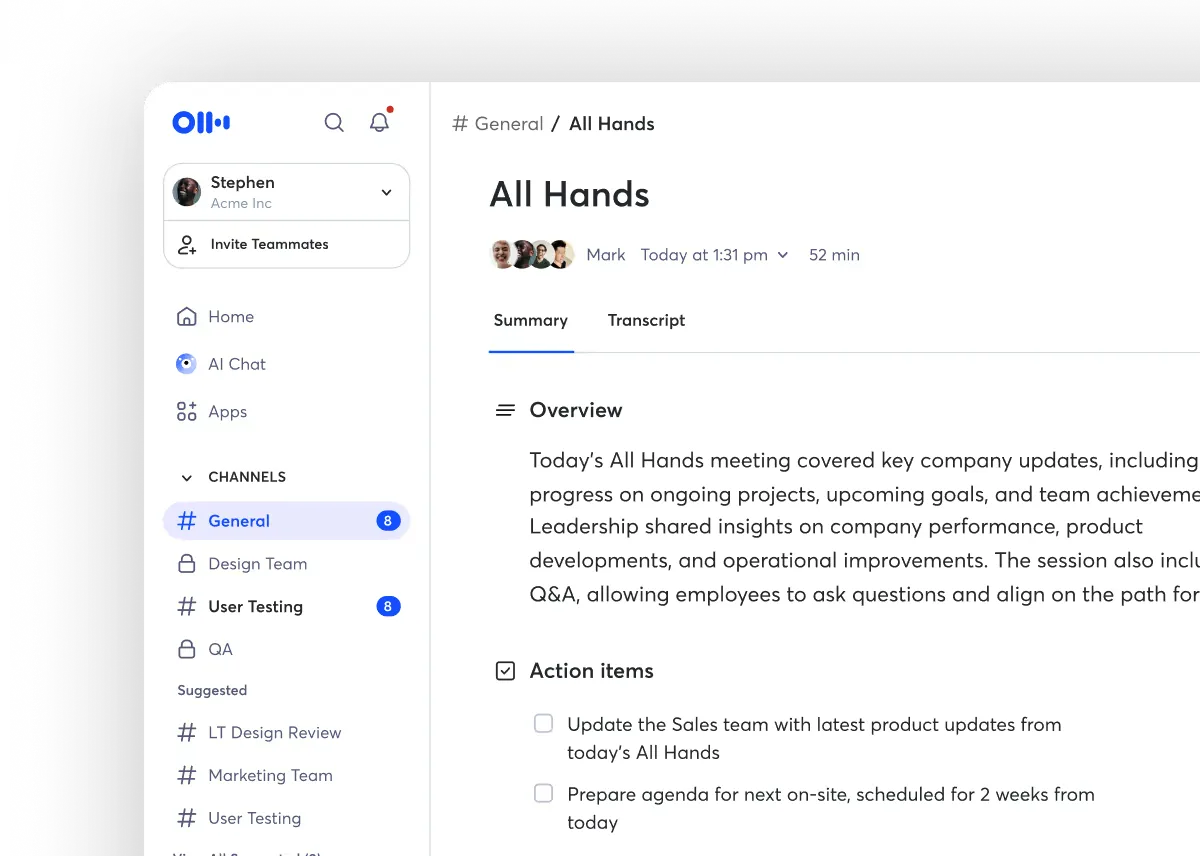
Price (checked Oct 2026): The free Basic plan gives you 300 transcription minutes a month, stops at 30 minutes per conversation, and keeps only your 25 most recent conversations. Pro is $8.33 a user a month billed yearly, or $16.99 monthly. Otter pricing.
Good to know: The 30-minute cap rules out the free plan for most board or staff meetings. Zapier’s guide says OtterPilot joins scheduled meetings on its own once your calendar is connected, even ones you don’t attend, and that accuracy drops in echoey or noisy rooms (Zapier).
What users say: One user who asks questions across meetings said, “I use Otter now and that’s the main feature I love.” Another user said, “I’ve tried Otter but it feels really bloated.”
G2 rating: 4.4 out of 5 from 505 reviews on G2, Oct 2026.
Legal: On August 15, 2025, NPR reported a proposed class action filed in federal court in Northern California. It accuses Otter of recording private conversations without all participants’ consent and using them to train its AI. NPR said Otter did not respond to a request for comment. NPR report, via KAXE.
Fireflies.ai
Fireflies sends a notetaker bot into Zoom, Google Meet, Teams, Webex and other platforms. After the call you get a summary, a searchable transcript and action items that you can send to other apps.
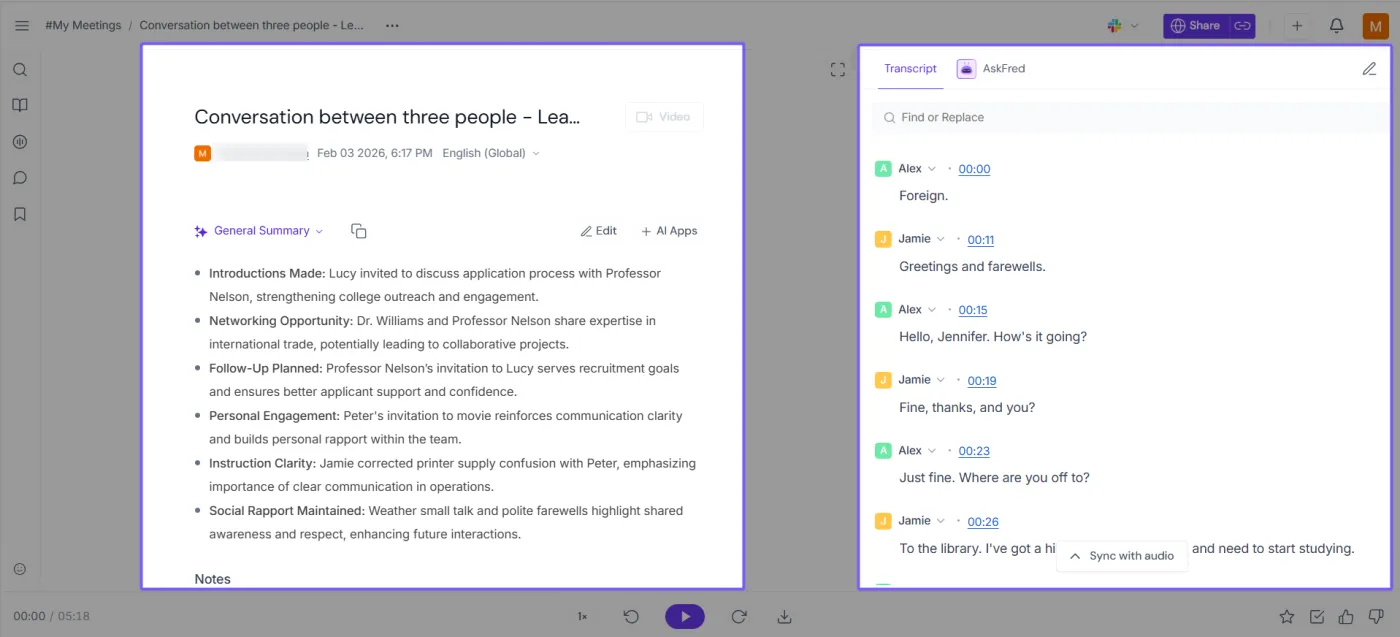
Price (checked Oct 2026): The free plan includes unlimited transcription, limited AI summaries and 400 minutes of storage per team. Pro is $10 a seat a month billed yearly, or $18 monthly. Fireflies pricing.
Good to know: Set auto-join carefully. Options run from every meeting with a video link to only meetings you invite the bot to (Fireflies help).
What users say: One consultant said, “It’s made it easy for me to share recordings for my consulting business, the transcripts and action items are great.” Another user, describing their own setup at the time, said, “I then have to manually move those notes into notion.”
G2 rating: 4.7 out of 5 from 755 reviews on G2, Oct 2026.
Legal: On December 18, 2025, a proposed class action, Cruz v. Fireflies.AI Corp., was filed in the U.S. District Court for the Central District of Illinois under the Illinois Biometric Information Privacy Act. The complaint alleges that Fireflies collected voiceprints of meeting participants, including people who never created an account, without the notice and written consent the law requires. Complaint (PDF).
Fathom
Fathom records Zoom, Google Meet and Teams calls and sends a summary with action items when the call ends. It uses a bot, or on a Mac you can try bot-free capture (in beta).
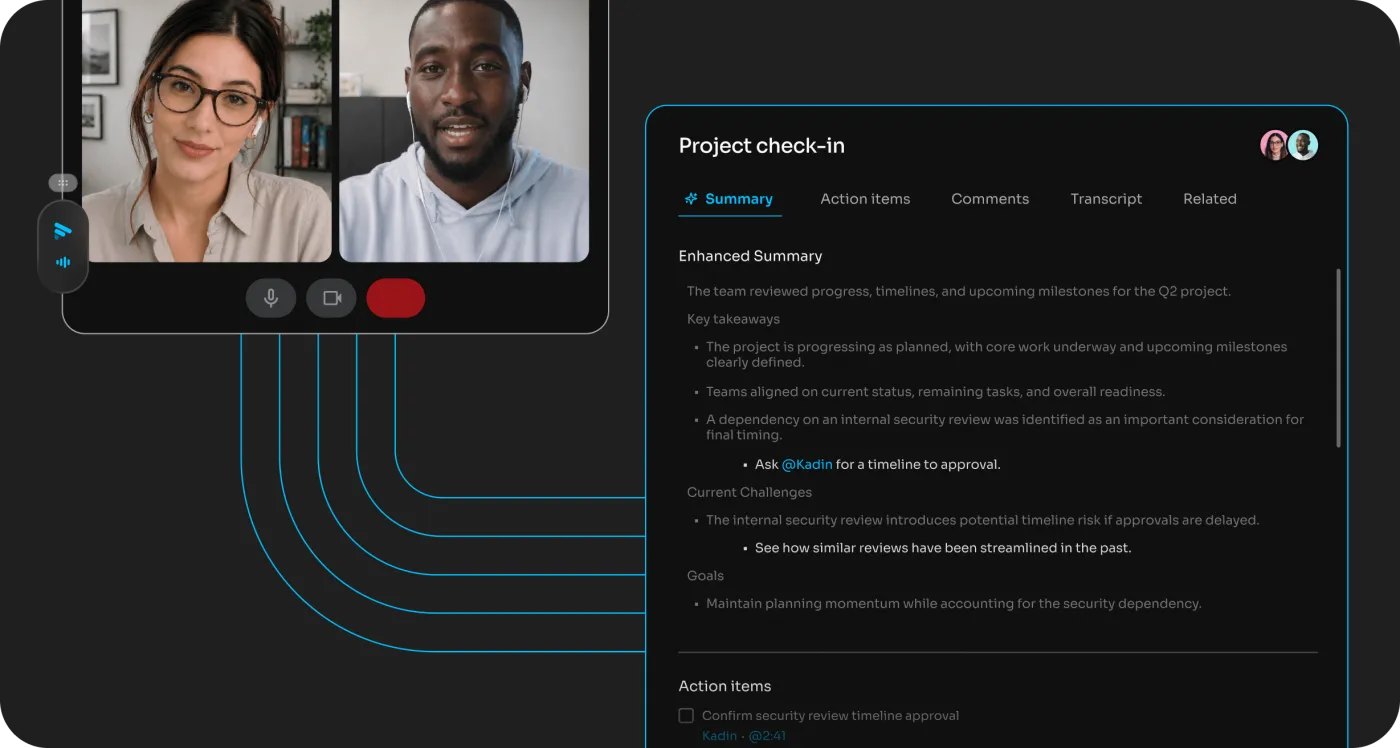
Price (checked Oct 2026): The free plan is “Free forever,” with unlimited recordings and transcription and instant AI summaries. Some features are marked “Limited use” on the free plan. Premium for one person is $16 a month billed yearly, or $20 monthly. Team plans start at $15 a user a month billed yearly ($19 monthly), with a two-user minimum. Fathom pricing.
Good to know: Fathom’s help center says “There’s no way to silently record.” With bot-free capture, it posts a chat message or shows a consent prompt (Fathom help).
What users say: One project team user said, “We’ve been using Fathom, it seems to work pretty well and I am not an AI fan.” Another user said, “My issue with Fathom is that you have to let a bot join your meeting.” Fathom now also offers bot-free capture as a Mac beta.
G2 rating: 5.0 out of 5 from 7,089 reviews on G2, Oct 2026.
Ownership: On September 14, 2026, TechCrunch reported that Superhuman is acquiring Fathom (TechCrunch). Fathom’s G2 page now lists it as “By Superhuman.”
Granola
Granola is a notepad app for Mac, Windows, iPhone and Android. No bot joins the call. It listens through your computer’s audio while you type rough notes, then fills them in from the transcript. Granola says it doesn’t record or save audio or video, so there’s no recording to play back (Granola help).
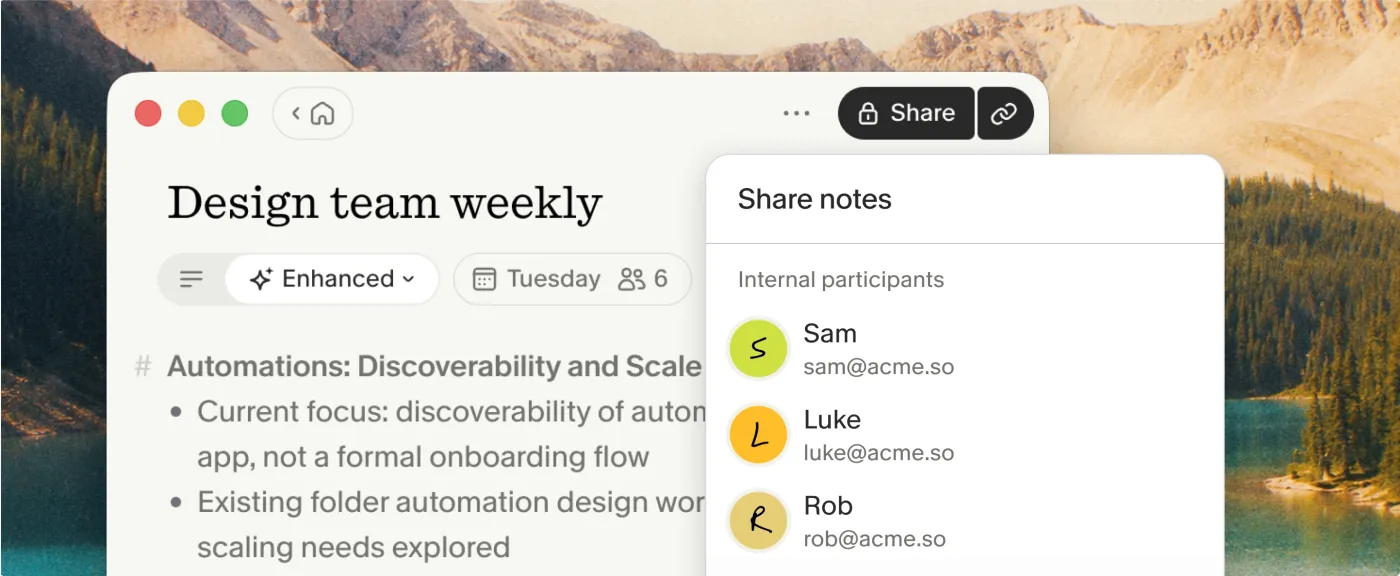
Price (checked Oct 2026): The free Basic plan shows notes from the last 30 days only and doesn’t include integrations like Notion, Zapier or HubSpot. Business is $14 a user a month. Granola pricing.
Good to know: Because there’s no bot, other people may not know Granola is running. Granola’s docs say customers are responsible for deciding what notice or consent they need (Granola help).
What users say: One user with back-to-back meetings said, “Granola has successfully made it into my workflow, and is helping me find the light in a back-to-back meeting existence.” Another user in the same thread, who liked having no bot, said, “I still prefer to paste a Granola transcript into Claude and have Claude do the cleanup.”
G2 rating: 4.6 out of 5 from 191 reviews on G2, Oct 2026.
Sharing and data use: On April 2, 2026, The Verge reported that Granola’s settings said notes were “viewable to anyone with the link” by default. Granola told The Verge that links are unlisted and invisible to search engines, and full transcripts aren’t shown to anyone you haven’t shared a note with (The Verge). Granola’s current help page lets you set default link access to “Anyone with the link,” “Only my company” or “Private.” When you make it stricter, you choose whether it applies to all your existing notes or only new ones, and people you already shared with keep access (Granola sharing controls).
Granola’s help center also says that by default “Granola may use anonymized data to improve our services.” You can turn this off in Settings under Preferences (“Use my data to improve models for everyone”), and Enterprise accounts are opted out by default. The same page says Granola’s AI providers are barred by agreement from training their own models on your data (Granola model training).
tl;dv
tl;dv records Google Meet, Zoom and Teams calls, writes AI notes by topic with timestamps, and lets you search across recorded meetings. It joins as a bot by default, and its Mac and Windows app can record without one.
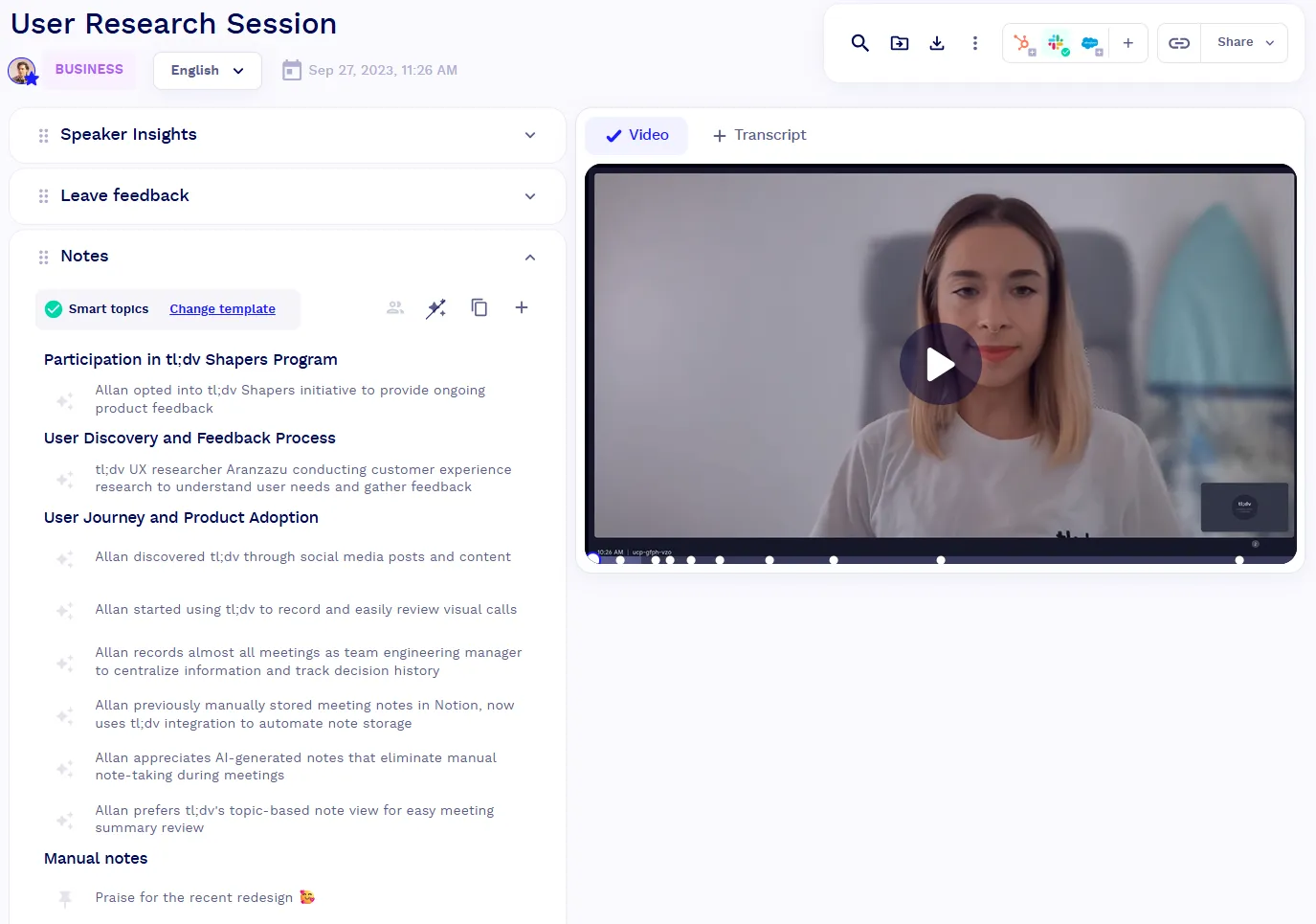
Price (checked Oct 2026): The free plan includes unlimited recordings. Your first 10 meetings get full AI notes, and after that only the first 10 minutes of each meeting. These limits are for the life of the account (tl;dv help). The pricing page showed euro prices when checked: Pro is €18 a seat a month billed yearly, or €29 monthly. tl;dv pricing.
Good to know: tl;dv can ask for consent before calendar meetings, but instant meetings don’t trigger this (tl;dv help). With the bot-free desktop app, tl;dv tells you to inform participants yourself (tl;dv help). Zapier says the bot can fail to join when tl;dv’s servers are busy (Zapier).
What users say: One user who meets with clients said “the search feature helps me search any conversation pointer.” Another user, posting about a tl;dv notetaker they hadn’t set up, said, “I never opted in to this plugin and do not know where the authentication came from.”
G2 rating: 4.7 out of 5 from 546 reviews on G2, Oct 2026.
Security report: On August 4, 2026, a security researcher reported that metadata for 181,874 meetings, such as creator email addresses and conference IDs, could be looked up by any signed-in tl;dv user (researcher’s post). On August 5, 2026, tl;dv’s CTO responded that the data was limited to metadata, that “no passwords, recordings, transcripts, AI-generated notes or account and billing data were accessible,” and that the issue had been fixed (tl;dv statement).
MeetGeek
MeetGeek’s bot joins Zoom, Google Meet and Teams meetings from your Google or Outlook calendar. Its summaries follow templates you set per meeting type, such as a sales call or a team meeting.
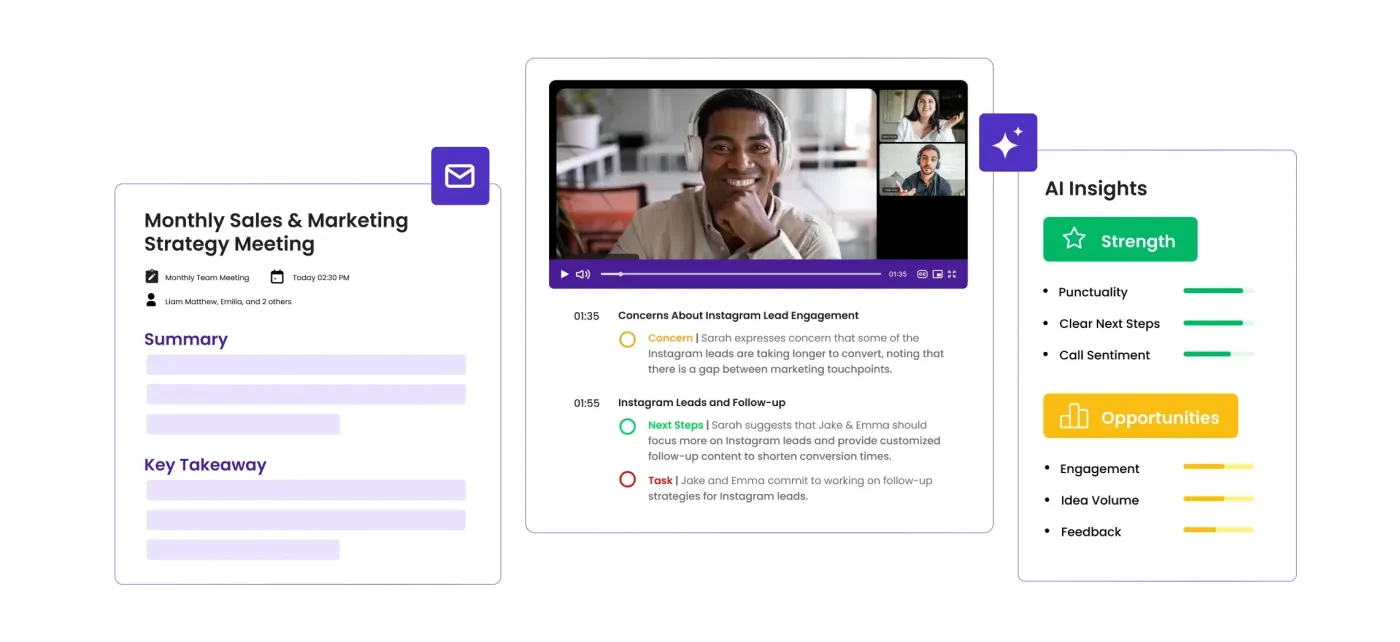
Price (checked Oct 2026): The free plan includes 3 hours of transcription a month. Pro is $9.99 a user a month billed yearly, or $15.99 monthly. MeetGeek pricing.
Good to know: By default, the bot joins every calendar meeting with a video link. You can limit this in settings (MeetGeek help). It posts a chat message telling people the meeting is being recorded, and MeetGeek says it “does not support incognito recording” (MeetGeek help).
What users say: One user said “speaker recognition, even in loud environments, works great.” Another user, who compared it with Granola and Fellow over ten days of client meetings, said, “MeetGeek was good, but not excellent.”
G2 rating: 4.6 out of 5 from 491 reviews on G2, Oct 2026.
Fellow
Fellow combines shared agendas, meeting notes and action items with an AI notetaker. You can record with a bot in Zoom, Google Meet or Teams, or without a bot through its desktop or mobile app (Fellow help).
Price (checked Oct 2026): The free plan allows 5 AI notes and 5 AI recordings per user for the life of the account, for up to 5 seats. Team is $7 a user a month billed yearly, or $11 monthly, with 10 AI notes and 10 AI recordings per user a month. Fellow pricing.
Good to know: The free plan is a trial in practice: five AI notes, once. Zapier’s roundup picks Fellow for data privacy and security and says its desktop app “is a bit buggy” (Zapier).
What users say: These two quotes come from different people in the same thread. One user who had used Fellow for over a year said, “It summarized topics well, identified decisions and next-steps, and seemed to understand context appropriately.” Another user replied, “The Fellow app is a resource hog to a point where the Zoom client itself glitches and starts to crash.”
G2 rating: 4.7 out of 5 from 2,440 reviews on G2, Oct 2026.
Because Fellow also handles agendas and action items, it’s in our meeting minutes software comparison too.
AI notes built into Zoom, Google Meet and Teams
Zoom AI and ZoomMate
Zoom can write a meeting summary and send it by email or Team Chat after the call. Only the host or a co-host can start or stop it, and participants see the AI icon change color while it’s on. People who aren’t signed in to Zoom don’t get the email (Zoom support). Zoom’s My Notes feature takes notes in Zoom, Teams, Google Meet and in-person conversations, and Zoom says it needs “no bots” (Zoom).
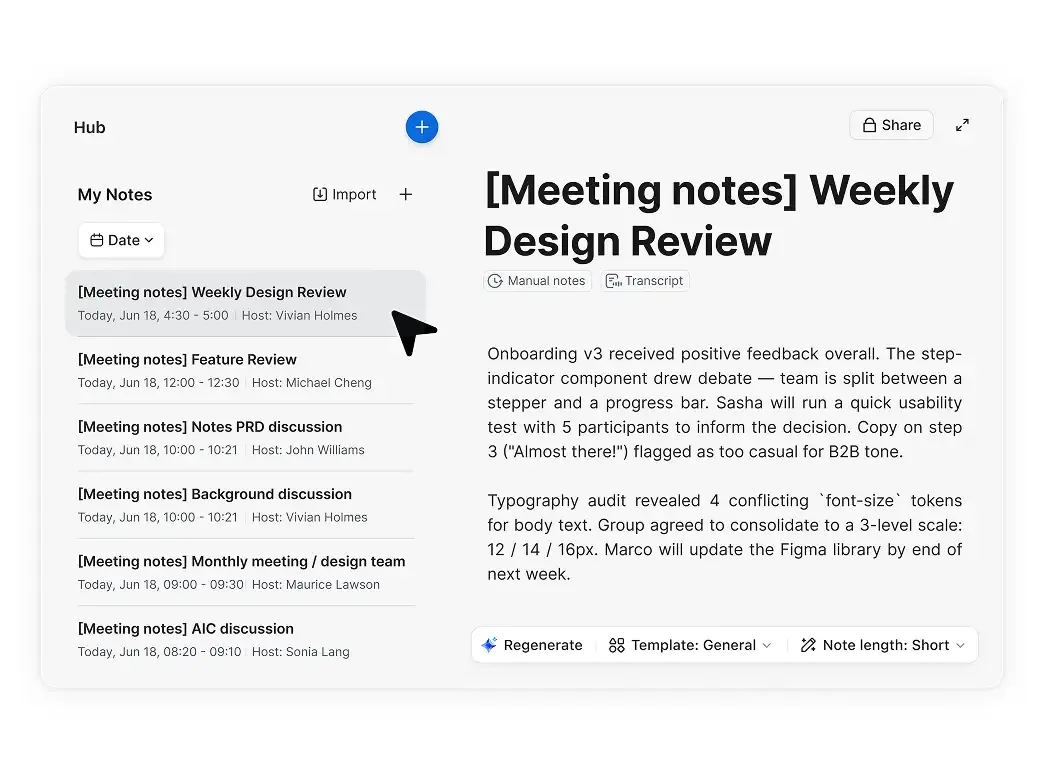
Price (checked Oct 2026): Zoom’s free plan includes meeting summaries for 3 hosted meetings a month and AI note-taking 3 times a month. Zoom Pro is $14.16 a user a month billed yearly, or $16.99 monthly, with unlimited meeting summaries. My Notes is also sold on its own from $8.33 a user a month billed yearly (Zoom). Zoom pricing.
Names: As of October 2026, Zoom’s help center calls the feature Zoom AI, Zoom’s AI product page is titled “Meet ZoomMate, your AI teammate,” and the free tier is listed as “ZoomMate Basic” (Zoom). Zoom’s pricing page still mentions AI Companion in places.
What users say: One user, comparing it with separate note takers, said, “Summaries are generic and often miss the important points.” Another user, who moved from Gemini to Zoom after changing jobs, described Zoom’s notes this way: “It’s inaccurate, difficult to read, lacking detail, and unfocused.”
Gemini in Google Meet (“Take notes for me”)
In Google Meet, Gemini can take notes while you talk. The notes are saved as a Google Doc in the organizer’s Drive, attached to the Calendar event, and emailed to the people the host chooses, which can include outside guests. Meet tells everyone that notes are being taken, and admins can require consent first. It handles one language per meeting (Google Meet help).
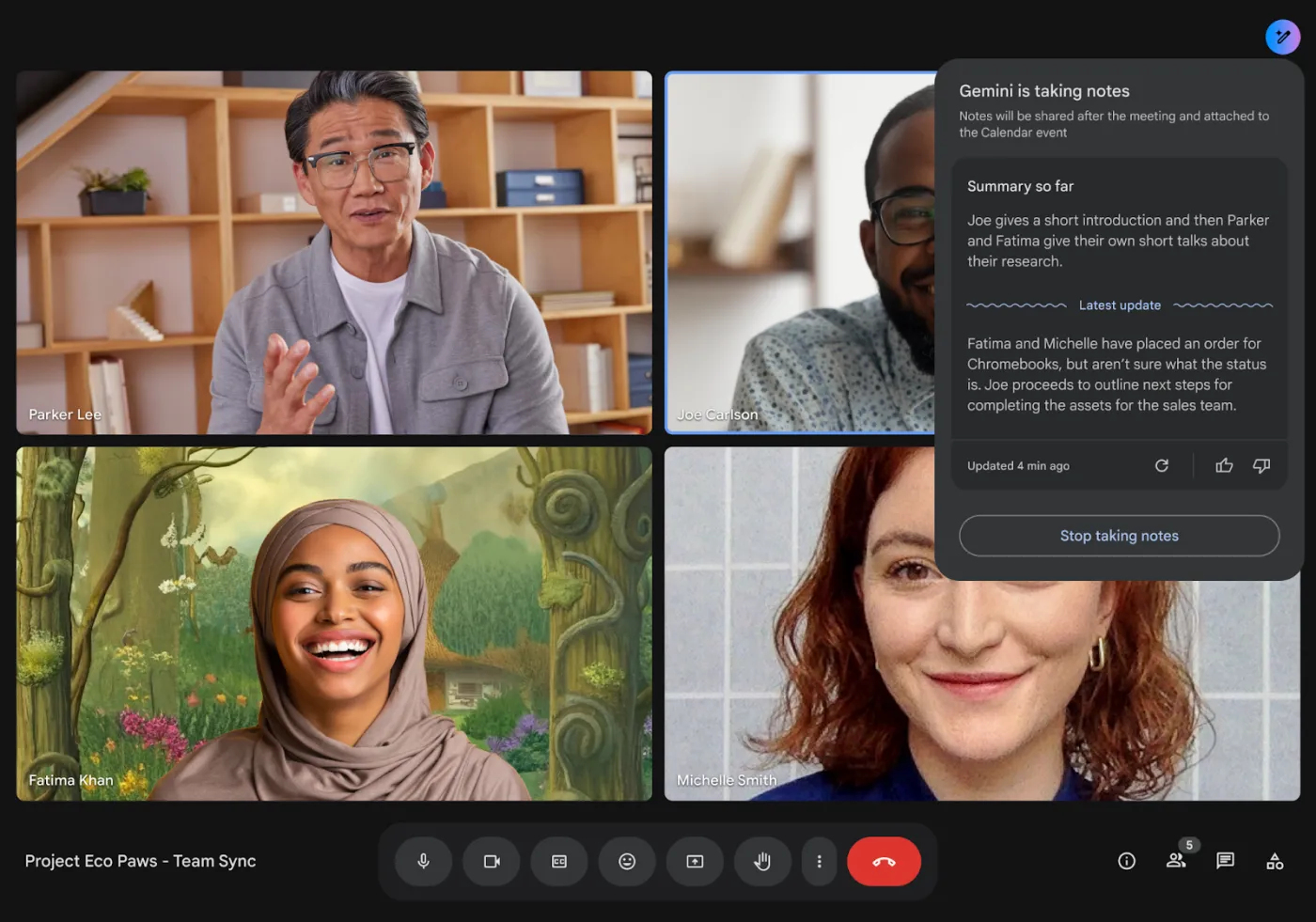
Price (checked Oct 2026): There’s no free version. Google’s pricing page includes “Gemini in Meet” in Business Standard and Business Plus, but not Business Starter, and Google’s help page says a Google AI plan can also qualify. See Google Workspace pricing for current prices.
What users say: One user whose company uses it for client calls said “we also manually polish the notes to make sure the right things get emphasized the right amount.” The user quoted under Zoom above described Gemini’s notes at their previous job as “Accurate, readable, actionable notes shared directly to a document attached to the meeting invite.”
Microsoft 365 Copilot in Teams
Teams can show AI-generated notes, a summary and suggested tasks in the meeting’s Recap tab. This “intelligent recap” needs a Teams Premium add-on or a Microsoft 365 Copilot license, and the meeting has to be at least transcribed (Microsoft Support). Copilot doesn’t work in meetings hosted by another organization (Microsoft Support). Organizers with a Copilot license can now get an AI summary without saving a transcript, a feature in public preview (Microsoft Learn). Our guide to the Teams AI note taker covers licenses, what each one gets you and how to turn the recap into minutes.
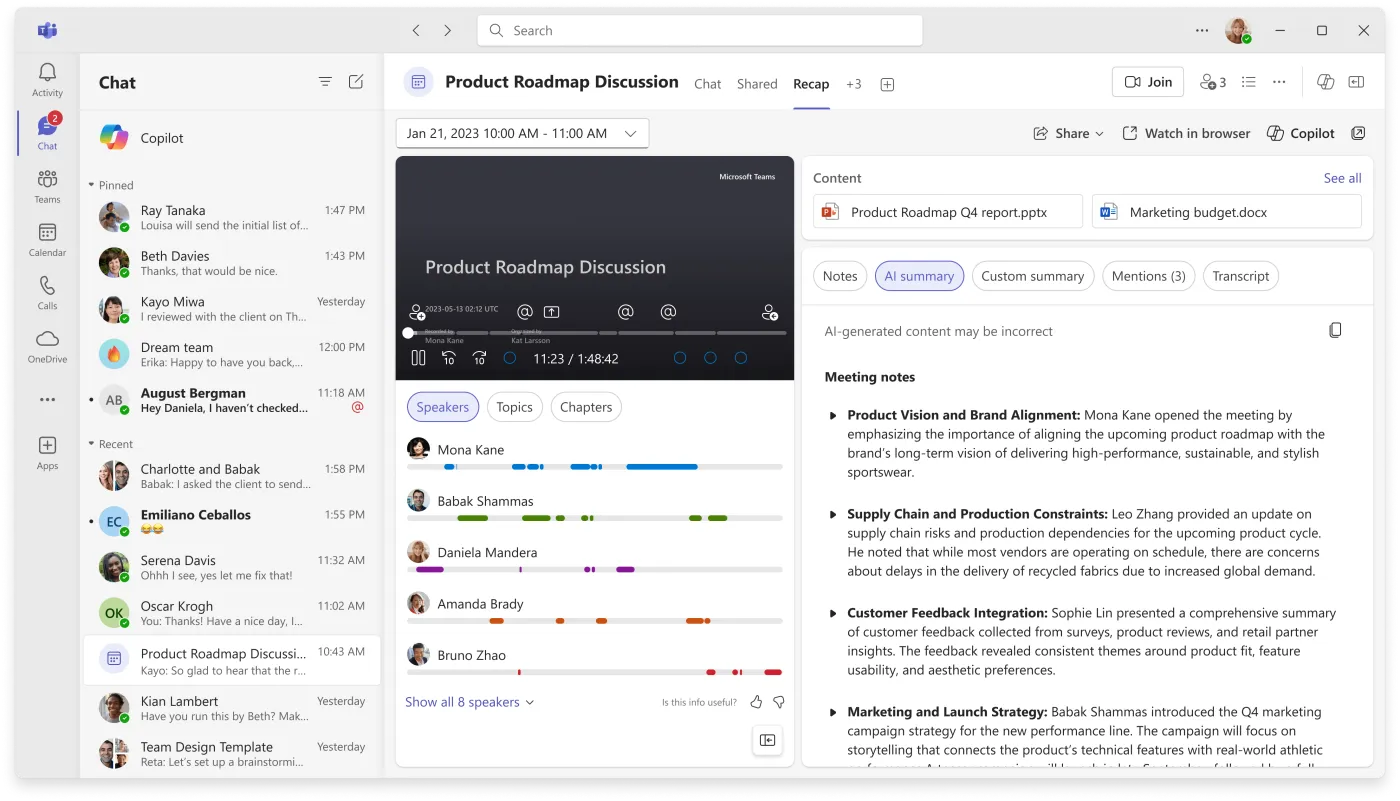
Price (checked Oct 2026): There’s no free version, though admins can start a 30-day Teams Premium trial (Microsoft Learn). See Microsoft’s pricing page or ask your IT admin for current prices.
What users say: One user who sends meeting follow-ups to a project team said, “I often do quite a bit of editing to the output before sending it out to the team.” The same person said it lets them focus on listening instead of replaying the whole meeting.
What AI notes still miss
An AI summary is a draft. It can’t tell which option the group agreed to if nobody said “we’ve decided.” It may give an action item to whoever mentioned it, or leave the due date as “next week.” It doesn’t know which comments were off the record. Several users quoted above edit the output before sending it. How to check AI meeting notes walks through the four most common errors with a worked example.
Before an AI summary goes out as minutes, check four things:
- Decisions: each one in a single sentence, and only things the group actually agreed.
- Action items: one owner by name, a calendar date and what done looks like. What are action items? covers the format.
- What to leave out: side conversations, personal remarks and anything confidential.
- Corrections: send the draft with a date for people to reply.
A board or committee also needs formal minutes that get approved at the next meeting (meeting notes vs minutes). How to write meeting minutes covers what to keep and what to cut.
If you type your own notes, our free meeting notes to minutes tool turns shorthand lines (D for a decision, A for an action, Q for a question) into a minutes draft. It doesn’t use AI, runs in your browser, and doesn’t upload your notes. You can also start from the meeting minutes template.
FAQ
Is there a free AI note taker?
Yes, several. Fathom’s free plan has unlimited recordings and AI summaries. tl;dv’s free plan has unlimited recordings, but full AI notes only for your first 10 meetings. Otter’s free plan gives 300 minutes a month but stops at 30 minutes per meeting. Zoom’s free plan includes summaries for 3 hosted meetings a month. Free plans change often, so check the vendor’s pricing page before you rely on one.
Do AI note takers need permission to record?
Often, yes. Recording laws differ by state and country, and some require everyone on the call to agree. Tell people at the start that an AI tool is taking notes, follow your organization’s policy, and ask a lawyer if you’re unsure. Bot-free tools are invisible to other participants, so telling people matters even more.
Can AI notes replace meeting minutes?
Not without a human check. Someone who was in the meeting should confirm the decisions, owners and dates and remove anything that shouldn’t be on record. Formal minutes for a board or committee still need the group’s approval.
Which AI note taker works without a bot joining the meeting?
Granola works only without a bot. Fathom (a Mac beta), tl;dv and Fellow offer bot-free recording through their desktop apps, and Fellow also through its mobile app. Gemini in Google Meet and Zoom’s meeting summaries run inside the meeting platform, and Zoom says My Notes needs no bot in Teams or Meet either. With Granola and the desktop modes, you need to tell people yourself.